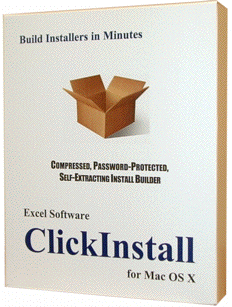
Create Mac Software Installer
 Create a professional 64-bit macOS software Setup process in minutes. Generate x86, ARM or Universal installer for any macOS computer.
Make installers for any number of products or customers with a no-nonsense, one-time purchase. Automate each step of the build process. Code Sign and Notarize your applications and installer with an Apple Developer account.
Install plugin or resource files and copy them where they need to go for use by Final Cut Pro or other host applications. Apply a computer unique password to the installer or fully automate the process with online Serial Number activation. Ensure only paid users can run the installer.

Make a great first impression with ClickInstall!
To build an installer, simply organize files in folders.
Customize the install process with features below.
- Compress Setup file for smaller size and fast download.
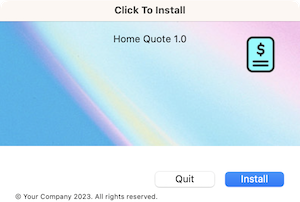
- Generate full Setup or tiny quick Patch Installers.
- Code Sign apps, libraries and the installer itself.
- Notarize your installer with Apple for easy distribution.
- Create double-click installer for media or download.
- Offer user choice and options during install process.
- Apply static password or computer unique activation.
- Add logo, background images and custom installer icon.
- Display web link or custom text in installer window.
- Require custom License Agreement confirmation.
- Include button to present Help or Release notes.
- Use HTML tags to style, color and format text.
- Run custom executable before or after installation.
- Customize titles, buttons and text for any language.
- Present stylized Pre or Post install messages.
- Take user to a web page when install is complete.
- Check minimum OS and RAM before install.
- Store each installer setup in a separate record.
- Upload Setup files to your website with builtin FTP.
- Rebuild a batch of installers with one button click.
- Copy installed files to various locations on disk.
- Conditionally copy or delete files or folders.
- Distribute unlimited, royalty-free installers.
| 