Document DRM
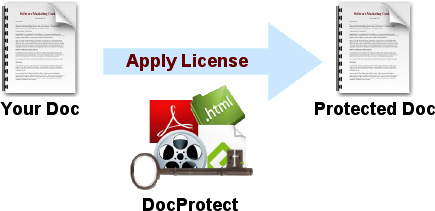
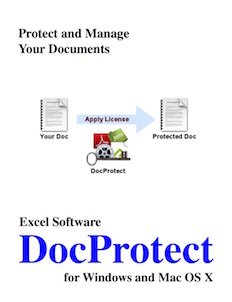
Protect your work and increase sales. Create a protected Mac, Windows or Android application from your document with a few button clicks. Control how many computers can use your document with an offline, online or dongle based activation process.

 Use DocProtect to wrap a PDF file or collection of files into a protected application. PDF files can be embedded within the application for offline viewing or stored on your website and securely presented within a secure viewer window.
Learn more about protecting PDFs.
 HTML Documents
-
An HTML project containing hundreds of files and folders can be compiled into a desktop application with a custom icon. Use HTML5 technologies to create a modern application that runs on Mac, Windows or Android.
A browser window allows navigation to embedded pages within the App or external pages on the Internet. Document authors can include HTML pages and data from their web site in the protected desktop or Android application.
 Video
Video
-
Use DocProtect for video files of type .mov, .wmv, .mp4, etc. The video file (or collection of files) is wrapped into the licensed viewer App to prevent easily sharing your content with unauthorized users.
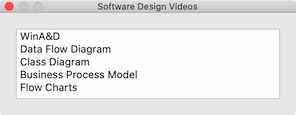 Video files can be stored online and securely presented from a tiny desktop application. The viewing window allows the user to stop, play and position the video. Present multiple files within the same App with a custom Contents panel.
Audio
-
Use DocProtect for audio files of type .mp3, .acc, .wav, etc. The audio file (or collection of files) is wrapped into the licensed viewer App to prevent easily sharing your content with unauthorized users.
Audio files can be stored online and securely presented from a tiny desktop application. A simple Audio player includes volume control with Play and Stop buttons.
Slideshow
-
Select a folder of numbered JPG images and click Build to create a professional Slideshow. The user can click left or right through the sequence of titled images or click to a specific spot in the presentation.
Android App
 Build your own Android app (APK) without programming. Select a collection of HTML files for the source content. Add a splash and icon image, then enable optional licensing features.
Now click a few buttons to output the source folder of an Android application. With Android Studio, build an App without programming that runs on Android phones or tablets. Upload your APK file to a website or an App store for users to download, install and run.
-
Apply a computer specific password and distribute the downloadable App to all customers. On first launch, the user is presented with a dialog requesting a specific password by number. Enter the password number into DocProtect on the development computer to generate the required password.
The password server controls how many computers can run your software based on the Serial Number.
QuickLicense or MakeDongle Integration
Automate the evaluation, purchase and activation process with a Try, Buy and Activate dialog. A vendor can block an activated license before issuing a refund or allow a customer to securely move a license between computers. Apply the same license to protect multiple documents with one activation or a subscription service.
Use MakeDongle to generate licensing dongles from empty USB drives. The thumb drive can be used to distribute your DocProtect generated App that only runs if the dongle is present.
Multiple Architecture, Code Signed Apps
 DocProtect can generate 32-bit or 64-bit apps on Windows. On macOS, generate Intel 64-bit, ARM 64-bit or Universal apps that run native on Intel or Apple Silicon computers.
During the build process, apply your own Code Sign certificate. This tells the OS, Web Browser and Virus Scanner that it can trust your application.
 DocProtect MacOS is a Universal app that runs native on macOS 10.14 or later with an Intel or ARM processor.